

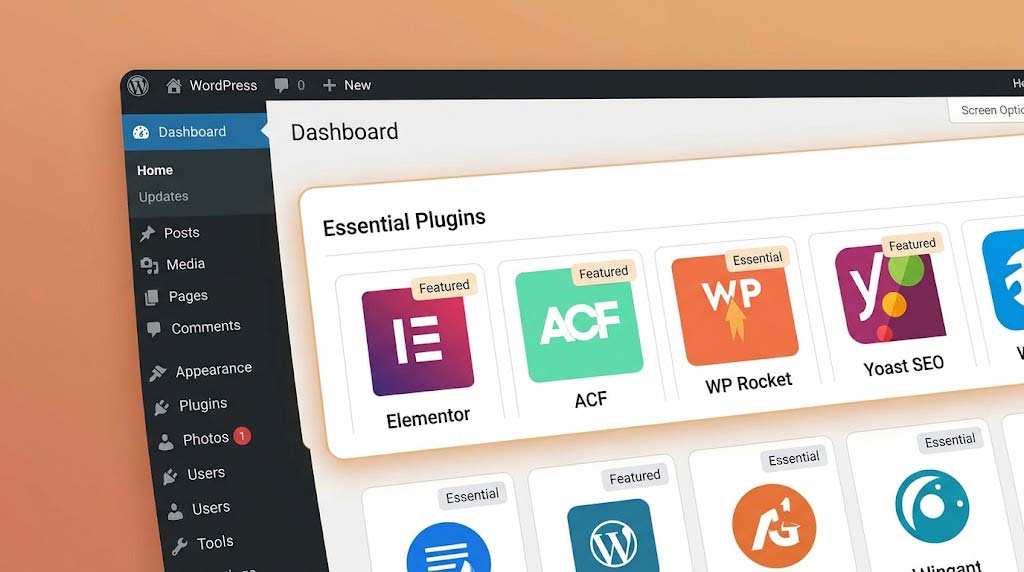
The right plugins can transform WordPress from a basic blogging platform into a sophisticated design tool. Here are 10 essential plugins for modern WordPress design, with real-world examples and performance considerations.

🎯 The Philosophy: Less is More
Before we dive into the list, remember: “Keep nesting to 3 levels maximum when possible” applies to plugins too. Every plugin you add affects performance, security, and maintainability.
The Golden Rule: Only add a plugin if it solves a specific problem that can’t be solved by the theme, built-in WordPress features, or better content planning.
🔧 The Essential 10
1. Elementor or Gutenberg Blocks
Purpose: Page building and layout design
Key Features:
- Drag-and-drop interface
- Advanced styling options
- Dynamic content capabilities
When to Use: When you need complex layouts beyond core Gutenberg capabilities. However, consider using Gutenberg native blocks when possible.
Performance Tip: Use Elementor’s “Performance” features and minimize widgets per page.

2. ACF (Advanced Custom Fields)
Purpose: Custom field management
Key Features:
- Create custom fields for posts, pages, taxonomies
- Flexible content layouts
- Repeater fields for complex data
Note: While Automattic recommends avoiding ACF for some projects, it remains extremely popular for custom WordPress development. We recommend it for custom solutions that require complex data structures.
Example Use Case:
<?php
            $hero_title = get_field('hero_title');
            $hero_subtitle = get_field('hero_subtitle');
            $hero_image = get_field('hero_image');
            ?>

            <div class="hero">
                <?php if ($hero_image): ?>
                    <img src="<?php echo $hero_image['url']; ?>" alt="<?php echo $hero_title; ?>">
                <?php endif; ?>
                <h1><?php echo $hero_title; ?></h1>
                <p><?php echo $hero_subtitle; ?></p>
            </div>Code language: HTML, XML (xml)
3. WP Rocket
Purpose: Performance optimization
Key Features:
- Page caching
- Gzip compression
- Database optimization
- CDN integration
Why It Matters: “Performance tuning includes optimizing images, using caching tools, reducing unused scripts, and other optimizations targeting Core Web Vitals”.
Configuration Best Practices:
✅ Enable: Page caching, Gzip compression, Browser caching
            ✅ Enable: Cache preloading
            ✅ Enable: LazyLoad for images
            ✅ Enable: Remove unused CSS
            ✅ Consider: Combine CSS/JS files (test thoroughly first)
4. Yoast SEO or Rank Math
Purpose: Search engine optimization
Key Features:
- Content optimization analysis
- Schema markup
- XML sitemaps
- Social media integration
Why It Matters: “Install a plugin like Yoast SEO or Rank Math. These tools help with titles, sitemaps, robots.txt, and so much more”.
Setting Up Yoast SEO:
- Configure Search Appearance (titles, meta descriptions)
- Submit sitemap to Google Search Console
- Set up social media integration
- Enable Schema integration
- Configure breadcrumbs
5. iThemes Security or Wordfence
Purpose: Security hardening
Key Features:
- Two-factor authentication
- Brute force protection
- File change detection
- Security logs
Essential Security Tasks:
- Enable Two-Factor Authentication
- Enable Brute Force Protection
- Turn on File Change Detection
- Disable the File Editor in WordPress Tweaks
- Enable User Logging
Security Checklist:
☐ Enable Two-Factor Authentication
            ☐ Enable Brute Force Protection
            ☐ Turn on File Change Detection
            ☐ Disable File Editor
            ☐ Enable reCAPTCHA
            ☐ Whitelist IP Address
            ☐ Review file permissions
6. UpdraftPlus or BackupBuddy
Purpose: Website backups
Key Features:
- Automatic scheduled backups
- Off-site storage (cloud)
- One-click restoration
Why It Matters: “Schedule automatic daily backups, or even more frequently for high-traffic sites. Store them in multiple locations—such as the cloud and offline storage—and test your restores to make sure they work”.
Backup Strategy:
📅 Daily: Database backup to cloud storage
            📅 Weekly: Full site backup to two locations
            📅 Monthly: Complete site backup to offline storage
            ✅ Test: Restore backups quarterly
7. Akismet or Anti-Spam Solution
Purpose: Spam protection
Key Features:
- Comment spam filtering
- Form submission protection
- Automated spam detection
Why It Matters: “Spam comments, form submissions, and fake accounts waste your time and distort your site data. Automated spam filtering keeps junk out of your inbox and prevents bots from filling your database with useless noise”.
8. Smush or Imagify
Purpose: Image optimization
Key Features:
- Automatic image compression
- WebP conversion
- Lazy loading
Why It Matters: “Optimize images for the web (reduce file sizes for images above 600KB)”.
Image Optimization Workflow:
- Upload original high-resolution image
- Plugin auto-compresses (80-90% size reduction)
- Serve WebP format to modern browsers
- Enable lazy loading to speed initial page load
9. WP Super Cache or W3 Total Cache
Purpose: Advanced caching
Key Features:
- Static HTML file caching
- Browser caching
- CDN integration
Note: If you use WP Rocket, you likely won’t need these as WP Rocket handles caching.
Common Caching Issues to Watch For:
- After deploying changes, clear all cache levels:
- Plugin cache
- Theme/Page builder cache
- CDN cache
- Browser cache
10. Jetpack (Essential Modules)
Purpose: Multi-purpose enhancement
Key Features:
- Site stats and analytics
- Security scanning
- Site search
- Social sharing
Why It Matters: “We also recommend making use of Jetpack features wherever possible because of the simplicity and tight integration they offer”.
Recommended Jetpack Modules:
- Site Stats (analytics)
- Jetpack Social (auto-sharing)
- Contact Forms
- Related Posts
- Site Accelerator (CDN for images)
- Backup (if not using another solution)
📊 Plugin Performance Impact Comparison
| Plugin | Impact Level | When to Use | Alternative |
|---|---|---|---|
| Elementor | High | Complex page designs | Gutenberg blocks |
| WP Rocket | Low | Always | LiteSpeed Cache |
| Yoast SEO | Low | Always | Rank Math |
| iThemes Security | Low | Always | Wordfence |
| UpdraftPlus | Very Low | Always | Jetpack Backup |
| Akismet | Very Low | Always | Google reCAPTCHA |
| Smush | Medium | Always | Optimole |
| WP Super Cache | Low | Always | W3 Total Cache |
✅ Smart Plugin Management Checklist
| Task | Frequency | Status |
|---|---|---|
| Update all plugins | Weekly | ☐ |
| Review new plugin features | Monthly | ☐ |
| Delete unused plugins | Monthly | ☐ |
| Check plugin conflicts | After each update | ☐ |
| Verify plugin licenses | Quarterly | ☐ |
| Performance test | Monthly | ☐ |
| Security scan | Daily | ☐ |
Recent Post

WP-CLI: 15 Commands Every WordPress Developer Should Know

10 Essential WordPress Design Plugins for a Modern.

From Figma to WordPress: A Designer’s Handoff Checklist

Accessibility in WordPress Design: Your Ethical and Legal.