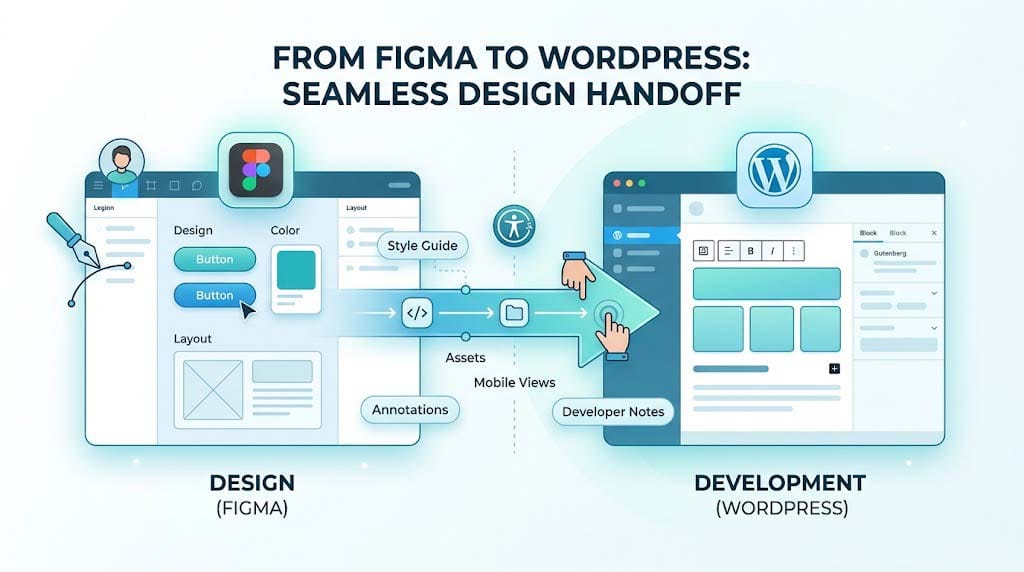
The handoff between design and development is where projects often stall. Missing information, unrealistic expectations, and poor communication lead to frustration on both sides. Here’s how to make your design-to-WordPress handoff seamless.
📋 The Pre-Handoff Checklist
1. Use the Right Tools
“We prefer that designs be delivered in an accessible format suited for web design, ideally in Figma (Sketch is also accepted but not preferred). Adobe formats are discouraged.”
Best Practice: Work in Figma and ensure any developer notes are not left exclusively in Figma comments—comments are often wiped when files are duplicated.
2. Create a Comprehensive Style Guide
A style guide isn’t optional—it’s essential. It should outline:
- Color palettes with hex codes
- Typography (fonts, sizes, weights, line heights)
- Button styles (default, hover, active states)
- Form elements (inputs, selects, checkboxes)
- Image treatments
- Spacing and sizing variables
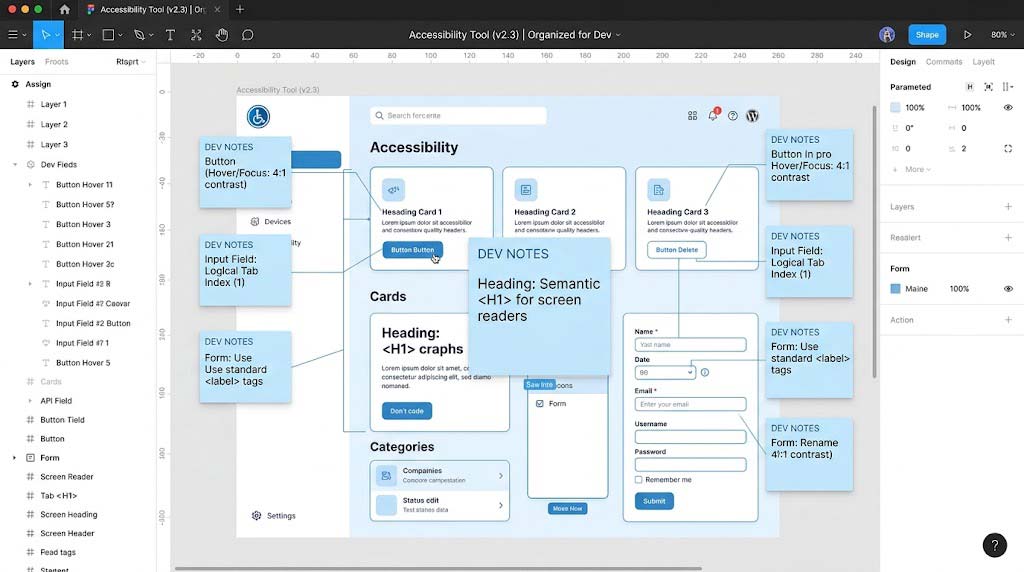
3. Include Development Notes
Add notes for any non-obvious functionality:
- Fixed image sizes
- Transitions and animations
- UX triggers and interactions
- Custom features that require complex implementation
🎨 Design Principles for WordPress
Embrace Gutenberg
“Utilize WordPress’s native block editor, Gutenberg, for common interface patterns (this includes things like image galleries and recent post modules).”
Key Consideration: Design in a way that works with Gutenberg’s block-based approach, not against it. Use the WordPress Playground to test block capabilities before handing off.
Design for All Screen Sizes
“While it’s not necessary to provide mobile mockups for the entire site, mobile views for the homepage, menu, and any other key sections that are less straightforward for a developer to translate to mobile should be provided.”
Minimum Mobile Mockups:
- Homepage
- Navigation menu
- Blog post
- Contact page
- Any complex interactive elements
Use Open-Source or Licensed Assets
“Fonts and icons that are not from Google Fonts or other free/open-source sources should be licensed by the partner for use on their website and provided before development. Use of Adobe fonts will require the partner to have their own Creative Cloud account.”
Action Items:
- ✅ Confirm all fonts are properly licensed
- ✅ Package all custom icons and assets
- ✅ Provide font files or Google Fonts URLs
🚀 The Development Side: What Developers Need
Follow WordPress Coding Standards
“WordPress uses coding standards to ensure quality, security, performance and maintainability in themes and plugins.”
Build Responsive / Mobile First
“Thinking about the way a site will work and look across different kinds of devices and user experiences should be an integral part of your development process, not an afterthought or a later phase.”
Leverage Core WordPress + Jetpack Features
“Using core WordPress features (Custom Header, Custom Logo, Widgets, Posts, Pages, etc.) in your site architecture ensures that a site will be scalable and maintainable over time.”
Core Features to Use:
- Custom Header
- Custom Logo
- Widgets
- Navigation Menus
- Featured Images
- Custom Post Types (when needed)
- Custom Taxonomies
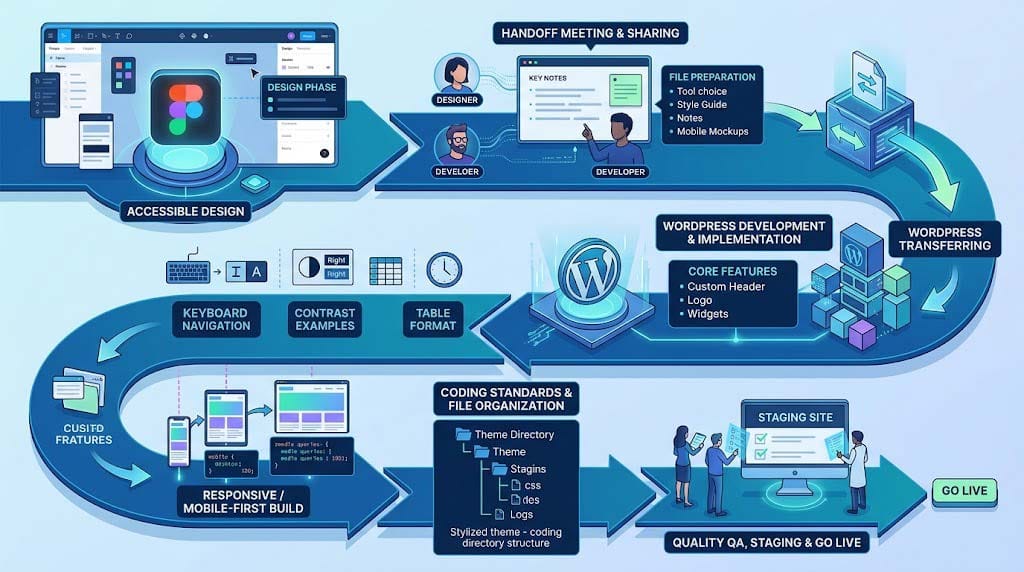
📊 Handoff Communication Flow
A clear communication flow ensures that nothing gets lost in translation:
- Design Phase → Handoff Meeting → Development
- Staging Site → Build Review → Quality QA
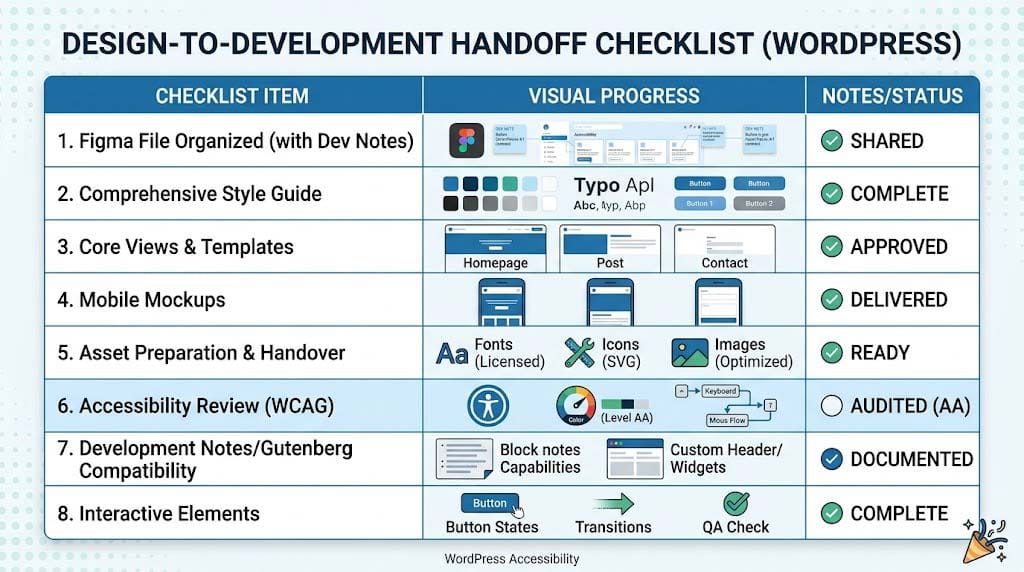
✅ Design Handoff Checklist
| Item | Status | Notes |
|---|---|---|
| Figma (or Sketch) file shared | ☐ | |
| Style guide complete | ☐ | Include all colors, fonts, spacing |
| All core WordPress views designed | ☐ | Home, blog, post, page, archive, search, 404 |
| Mobile mockups for key pages | ☐ | Homepage, menu, key interactions |
| Development notes added | ☐ | For non-obvious functionality |
| Fonts and assets licensed and provided | ☐ | |
| Image assets prepared | ☐ | Optimized and formatted |
| Interactive elements documented | ☐ | Transitions, hover states |
| Accessibility considered | ☐ | Color contrast, keyboard navigation |
Following this checklist will ensure a smooth, efficient, and frustration-free handoff from design to development. At Cyber Mickey, we believe that great collaboration between designers and developers is the foundation of outstanding WordPress websites.
Need help with your next WordPress project? Contact us today to see how we can bring your designs to life.
Recent Post

WP-CLI: 15 Commands Every WordPress Developer Should Know

10 Essential WordPress Design Plugins for a Modern.

From Figma to WordPress: A Designer’s Handoff Checklist

Accessibility in WordPress Design: Your Ethical and Legal.